- One systemTill and back office, one sign-in, one bill
- Works offlineKeeps selling when the internet drops
- Cash, card and QRSplit bills, refunds and tips
One system, not a till and a second product.
Most restaurants run a till, then separate stock or back-office software. Symphony is both, so the numbers always agree.
| Symphony | A till plus separate software | |
|---|---|---|
| The back office | Comes with the till | Bought separately |
| Sales reaching it | Every sale, by itself | An add-on to connect the two |
| Sign-ins and bills | One of each, each month | Two of each, and two places to ask for help |
| The menu | One menu, one set of numbers | Kept in two places, with figures that disagree |
Symphony Office
From today’s sales to tomorrow’s order.
Reports, staff, stock and gross profit, all working from the sales your till makes. In any browser.
Sales, bills, labour and gross profit for any dates, with the days that need a look marked for you.
Sales by bill, product, hour, day and month, plus payments, taxes, voids and promotions.
Every dish costed to the baht from its ingredients, and judged against your own gross-profit target.
Who works when, front and back of house, with hours, holiday and labour cost as a share of sales.
Stock counts, waste and goods received, and an order sheet for each supplier that works out what to buy.
What two stock counts say was used, set against what the recipes say the sales used, ingredient by ingredient.
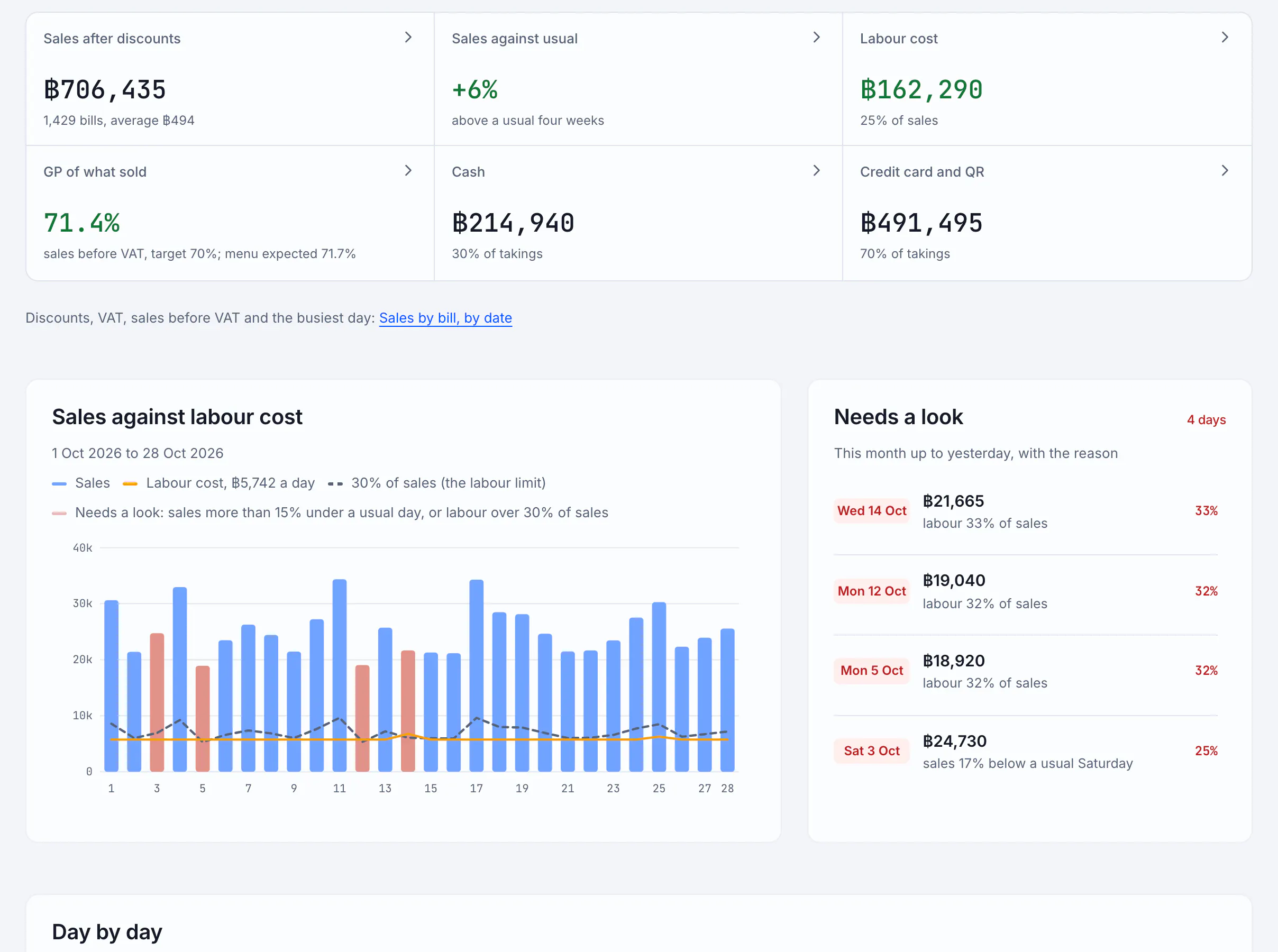
How the day went, in plain words, 1 of 6
Symphony POS
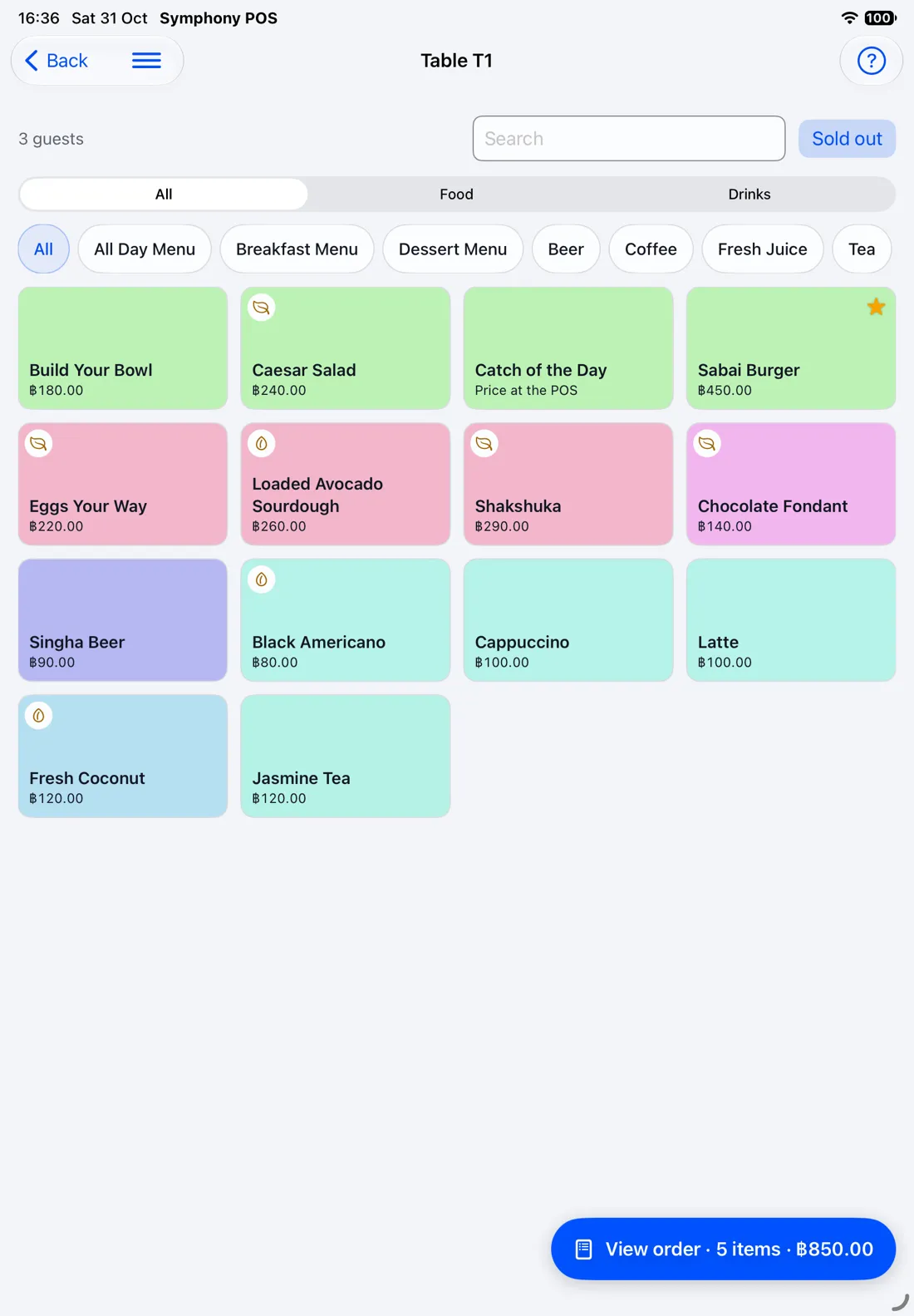
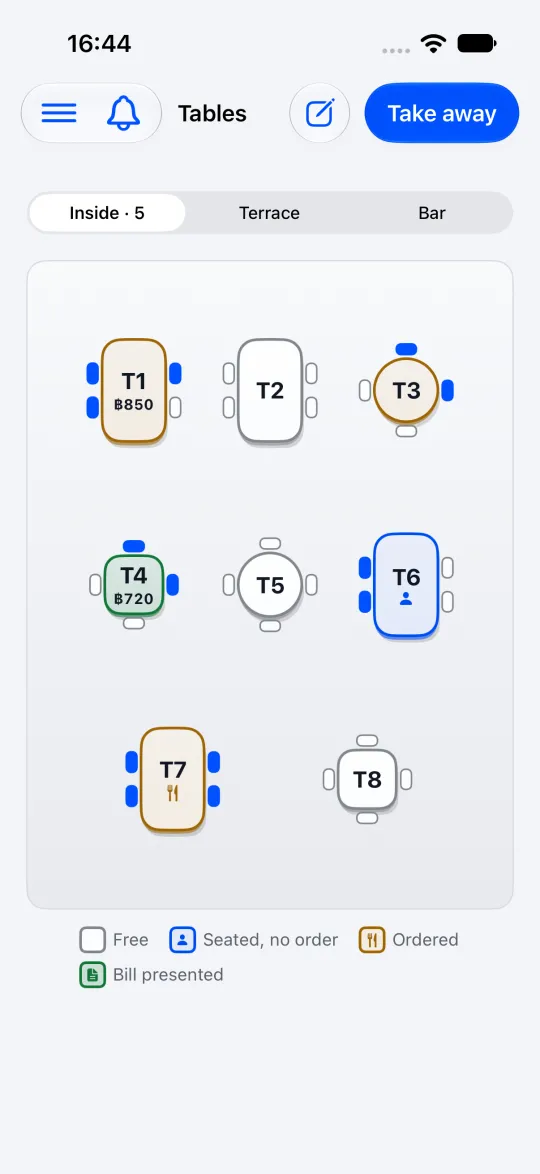
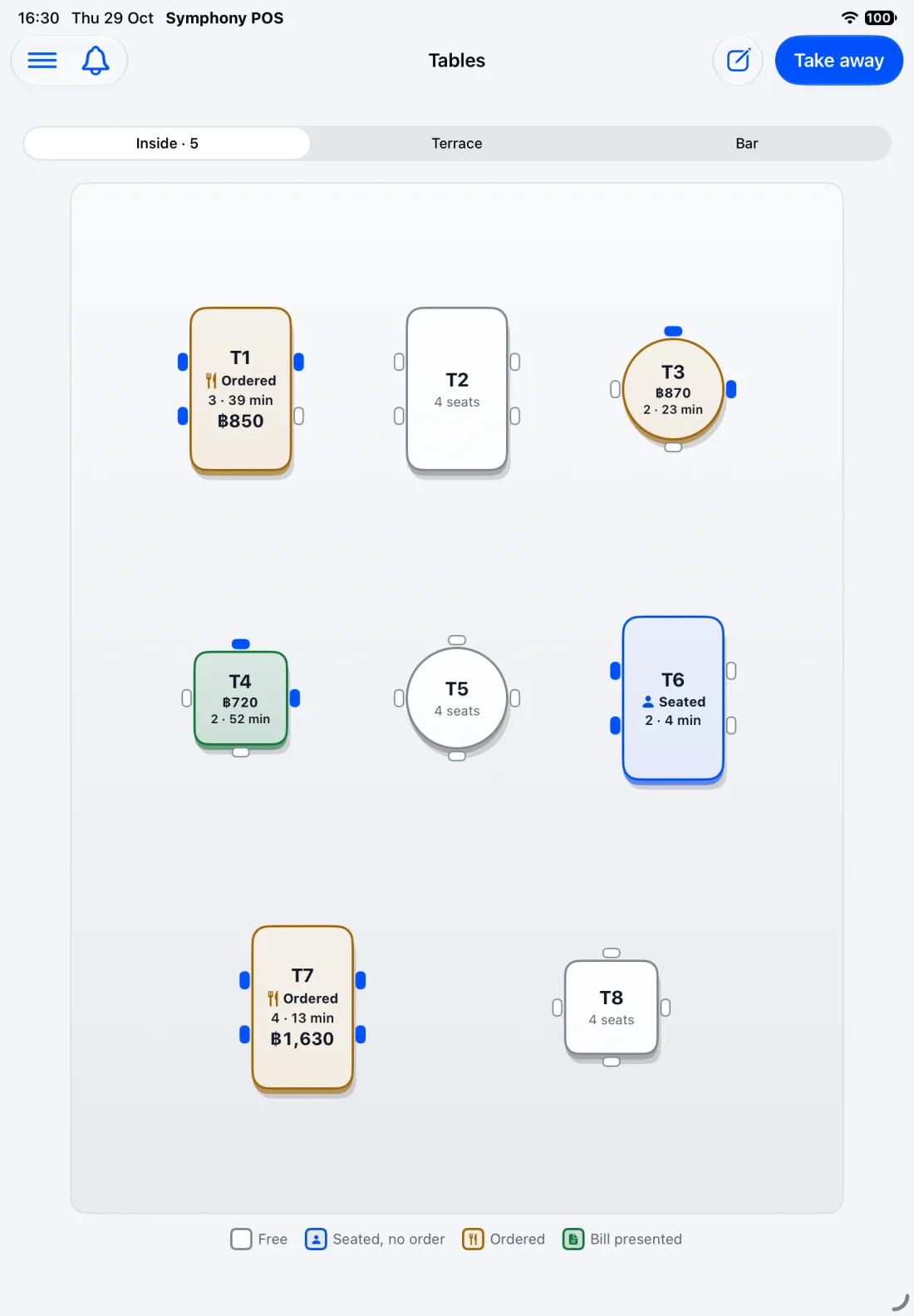
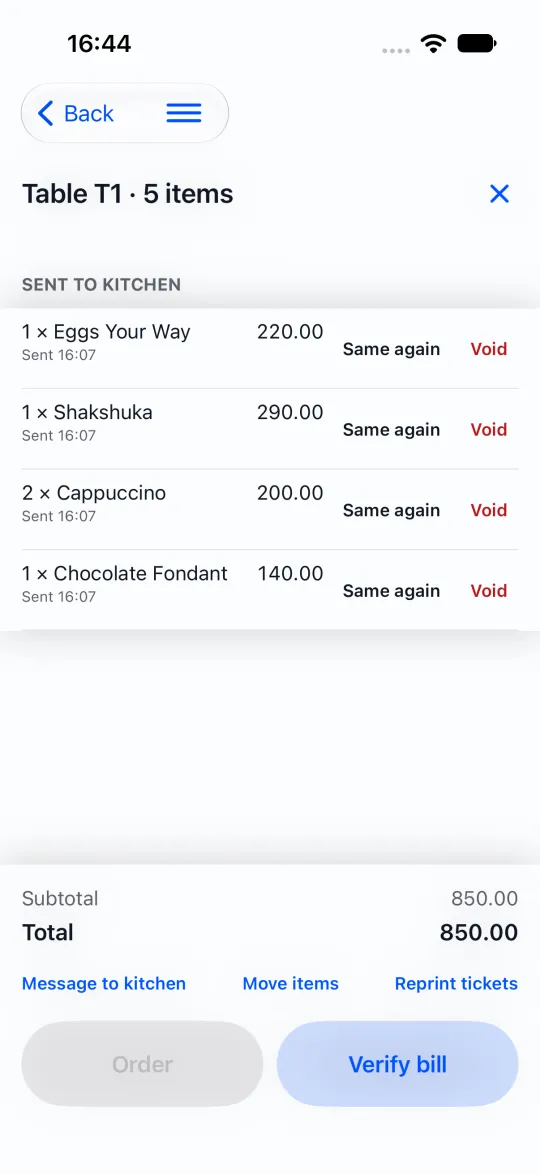
A till for the table, the pass and the phone.
The iPad at the pass and the phone in a waiter’s hand work on the same bills.
- Tables, orders and ticketsSeat, order, split, move and pay. Kitchen and bar each get their own tickets.
- Keeps selling offlineEach sale waits on the iPad and is sent once, in order, when the connection is back.
- Payments that add upCash, card and QR payments, with the drawer counted at the end of the day.
- Your own printersNetwork receipt and kitchen printers, named and checked from the iPad.
From the form to your own Office.
Your menu and team can be ready in an afternoon, with the setup guide.
Tell us about your place
A short form: your name, your place and your email.
Confirm your email
We email you a link. Open it to confirm your address.
Finish your sign-up
We check each request. Once it is approved, we email you a link: choose your password and your Symphony Office opens, with your own private data.
Set up and connect your iPad
A short setup guide the first time you sign in: your branch, what you sell, then a code to connect your iPad.
Pricing
Pick the modules you need. First 30 days free.
The base is the till and Symphony Office. Each module you add takes 5% off the month. Pay for a year and it is 25% off everything.
- BaseThe till and Symphony Office: sales, menu, reports, receipts. One branch, up to three devices.
฿990a month
- + Recipes and GP + Stock and orderingWhat each dish costs, its GP, stock counts and supplier orders.
฿500a month
- + Staff and rotaYour team, their pay and the weekly rota.
฿500a month
- + ReservationsTable bookings, shown on the till's floor plan.
฿500a month
- Extra branch, extra deviceA branch after the first; a device beyond three in a branch.
฿750 / ฿0a month each
Everything, one branch
฿2,117
a month, or ฿22,410 a year
- Works on your own iPad or iPhone
- No contract, no cancellation fee
- All modules free for the first 30 days
- No credit card required
Work out your own price
฿990a month
- Without discount
- ฿990
- Discount
- 0%
5% off the base and modules for each module you take. Extra branches and devices are not discounted.
30 days free. No credit card required. No contract. Cancel any time.
Start my free 30 days| Plan | Monthly | Yearly |
|---|---|---|
| Base | ฿990 a month | ฿8,910 a year |
| Base + 1 module | ฿1,416 a month | ฿13,410 a year |
| Base + 2 modules | ฿1,791 a month | ฿17,910 a year |
| Everything | ฿2,117 a month | ฿22,410 a year |
- Prices include VAT.
- No hardware included: it works on your own iPad or iPhone.
- No contract, no cancellation fee. Cancel any time.
- The price is for your company and its first branch, with up to three devices signed in. Each extra branch, and each extra device, has its own monthly price.
What each plan has
| Base | + Recipes and GP + Stock and ordering | + Staff and rota | + Reservations | Everything | |
|---|---|---|---|---|---|
| At the till | |||||
| Symphony POS on up to three iPads or iPhones at once in each branch | |||||
| Tables, orders, kitchen and bar tickets | |||||
| Payments, split bills, refunds and tips | |||||
| Receipts, cash drawer and promotions | |||||
| Symphony Office | |||||
| Menu: dishes, options, prices and photos | |||||
| Daily summary and sales reports | |||||
| Dish costing and GP, batch recipes | – | – | – | ||
| Suppliers and ingredients | – | – | – | ||
| Stock counts, waste and goods received | – | – | – | ||
| Order sheets for each supplier | – | – | – | ||
| Staff, pay and amendments | – | – | – | ||
| Weekly rota, and labour against sales | – | – | – | ||
| Table bookings, shown on the till's floor plan | – | – | – | ||
| Always | |||||
| Your own private data. Symphony checks each sign-up before it goes live | |||||
| Help from a person, not a ticket queue | |||||
Questions
Questions owners ask first.
What do I need to run it?
An iPad or an iPhone with the Symphony POS app for the till (from the App Store, when Symphony launches); any computer or tablet with a browser for Symphony Office. For receipts, a network receipt printer, and a cash drawer plugs into that printer. Kitchen and bar printers each get their own items. The base plan covers up to three devices at once in each branch.
What happens if the internet drops?
The iPad keeps selling: seat tables, take orders, send tickets to the kitchen, take payment and print receipts, as long as the iPad and the printers are on your branch's own network. Each sale waits on the iPad and is sent, in order and only once, when the connection is back. A few things wait for the connection: refunds, reopening a bill, closing the drawer, and changes to the menu or settings.
Which printers work?
Receipt and kitchen printers that use ESC/POS over your network (port 9100), with 80 mm paper. Thai text prints correctly. Printers with only USB or Bluetooth cannot be used yet; a USB print server puts one on the network.
Can I take my data out?
Yes. Every report downloads as CSV or Excel, and prints or saves as a PDF. Your ingredients and each dish's cost sheet download as Excel files too.
How do I close my account?
There is no contract, so you can stop any time. The owner asks from the iPad (Settings, Business, Delete this account) or by email. We delete your business's account and data, keep the tax records for as long as the law asks, and tell you when it is done. Download the reports you want to keep first.
What does the price cover?
The till and Symphony Office for your first branch, on up to three devices at once, with VAT included. Hardware is not included: Symphony works on your own iPad or iPhone, and a receipt printer if you want one. Each extra branch, and each extra device, has its own monthly price. Each module you add takes some off the month, and paying for a year takes more off: the price calculator above shows how much. There is no contract and no cancellation fee: you can stop any time.
Who helps me, and how?
A person at Symphony, by email. We never phone, so you get no sales calls. The first time you sign in, Symphony Office walks you through setting up, and each module has a short guided tour you can open again.
What is in the 30 free days?
The till and Symphony Office, with your own menu and team, for one branch on up to three devices. The extra modules start switched off, so you begin simply: switch on any of them to try it free for the rest of your free days. No credit card required. At the end, a module you have not chosen to keep switches off and is not billed, and your data is kept.
Run your restaurant on one system.
30 days free. Switch on any module to try it free for the rest of your free days. No credit card required.